Shopify SEO Checklist 2026: Boost Store Performance
/

Author
Jonathan Kennedy
Founder at appstoreresearch
Jonathan Kennedy is the founder of app store research and shopexperts, platforms that connect operators, founders, and experts across the Shopify ecosystem to drive better decisions, product development, and growth.
Stop Chasing 50 SEO Tasks. Focus on These.
Most Shopify SEO checklists are a pile of disconnected tasks. Edit a title tag. Compress an image. Install schema. Submit a sitemap. Add alt text. The problem isn't that those steps are wrong. The problem is that they're rarely ranked by impact.
Serious operators don't need more tasks. They need a sequence. A store with crawl issues, bloated apps, and weak collection architecture won't get much from publishing another blog post. A store with strong technical foundations but thin category pages probably won't fix growth by installing another SEO app. Priority matters more than volume.
This Shopify SEO checklist is built for that reality. It starts with what Shopify already handles, then moves through the most impactful work first. Site structure, product schema, and page speed come before content expansion. Internal linking comes before edge-case cleanup. Technical debt gets handled before cosmetic optimization.
That approach matches how search works on Shopify. Shopify's own guidance for SEO setup and optimization centers on analytics, keyword research, search intent, unique page titles and headings, strong meta descriptions, structured product data, and page experience.
For operators who want the broader context, this complements a deeper guide to mastering Shopify ecommerce SEO.
What Shopify Handles for You
The fastest way to waste a Shopify SEO sprint is to optimize the wrong layer. Shopify already covers part of the technical baseline. Your job is to protect that baseline, then focus on the few decisions that change rankings and revenue.
The built-in baseline
Shopify handles several fundamentals well out of the box. It generates sitemaps, sets canonical foundations, and gives smaller catalogs a usable starting point without custom engineering. That is enough to get a store crawled and indexed if the theme is clean and the catalog is organized.
That baseline does not mean the platform is doing your SEO for you. It means you should stop paying apps and developers to recreate native behavior.
The failure point usually shows up later. A team installs five apps, edits templates every month, adds overlapping collections, and turns a clean store into a crawl mess. The platform did its part. Operations introduced the problem.
Stores with more complexity feel this sooner, especially once merchandising, international expansion, or custom workflows start adding layers. The operating gap becomes easier to see in examples like when to upgrade to Shopify Plus, where platform choices start affecting execution quality.
Operator rule: Keep Shopify's native SEO foundation unless a tool fixes a proven gap you can measure.
The gaps that still need work
Shopify does not choose keywords, write titles, improve thin product pages, or control app bloat. It also does not tell you whether an app that promises SEO gains is slowing templates, duplicating schema, or creating low-value URLs.
That is where a tiered checklist matters. Tier 1 work goes to page types and decisions with direct impact. Tier 2 and Tier 3 can wait. A flat 50-point list hides that priority. It treats sitemap hygiene and product page quality like they belong in the same sprint. They do not.
Strong operators validate app choices before rollout and use SEO findings to influence the roadmap. If review widgets break layout stability, if filter apps create index clutter, or if bundle logic slows product templates, that is not just an SEO note. It is a product decision. This is also why teams focused on driving revenue with product page optimization usually outperform teams chasing generic SEO checklists.
Use a simple operating split:
Let Shopify handle the foundation: native sitemap behavior, core canonical setup, and standard storefront mechanics.
Own the revenue layer: collection strategy, product copy, titles, headings, internal relevance, and template quality.
Audit every change: app installs, theme releases, collection rebuilds, redirects, and schema edits should all go through SEO QA.
The stores that win on Shopify are rarely doing more. They are choosing the right layer to work on, and they are stricter about what gets added to the stack.
Tier 2: Building Authority with Content and Links
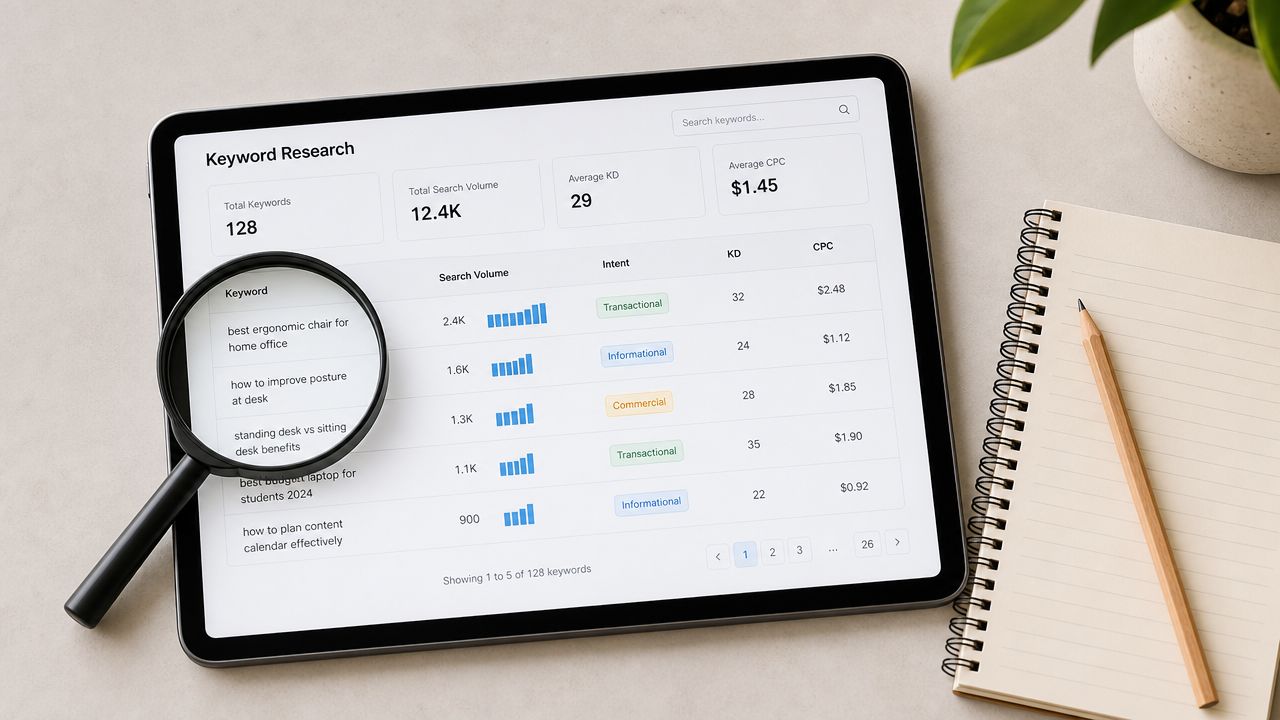
Tier 2 earns its keep after Tier 1 is stable. If your structure is clear, schema works, and top templates are fast enough, authority work starts to compound. If those basics are still broken, publishing more content just spreads weakness across more URLs.
Authority on Shopify comes from two systems working together. Content has to strengthen commercial pages. Links have to reinforce the right parts of the catalog. A blog that ranks but does not improve collection and product visibility is a side project, not an SEO asset.
Content that supports money pages
Start with the pages that make money, then build supporting content around them. Collection pages should own broad commercial intent. Supporting articles should answer the questions buyers have before they choose a product or category.
A skincare store is a clean example. Commercial targets might be cleanser, serum, moisturizer, and SPF collections. Supporting content should cover ingredient comparisons, routine order, skin-type recommendations, and use-case questions. Each piece should send clear internal link signals back to the relevant collection or product set.
This is also where operators separate useful content from content debt. Publishing ten generic blog posts on beauty trends does very little. Publishing four focused articles that strengthen your cleanser and serum collections usually does a lot more.
Internal linking and blog architecture
Blog architecture should follow buying paths, not editorial preferences. Group articles by category theme. Link each cluster back to a parent collection. Add contextual links to relevant products only when the product directly relates to the topic.
A clean setup usually includes:
Category-led clusters: Articles support a core collection, not random top-of-funnel keywords.
Consistent anchor text: Use descriptive anchors tied to the destination page topic.
Link depth control: Important collections should be reachable through strong internal paths, not buried behind pagination and tag pages.
Article pruning: Consolidate overlapping posts before they compete with each other.
Internal linking is also one of the easiest places to catch app and theme mistakes. Related-article widgets, filter apps, and automated recommendation blocks often create weak links at scale. Validate those choices before rollout. If an app floods article templates with irrelevant links or creates crawlable tag clutter, push back. That belongs on the product roadmap, not just the SEO backlog.
Link acquisition that fits Shopify
For Shopify stores, the best links usually come from products, data, and category expertise. Manufacturer links, retailer roundups, gift guides, expert commentary, and original resource content all fit ecommerce better than generic guest-post campaigns.
Be strict here. A link only matters if it strengthens category authority or sends qualified referral traffic. Chasing volume is how teams burn time on links that never improve rankings for collection or product pages.
AppStoreResearch's perspective is useful on this tier. Do not treat apps as fixed constraints. Validate whether review, UGC, affiliate, or upsell tools help authority or dilute it. Then use what you find to influence roadmap decisions. If a reviews app adds indexable thin pages, if an affiliate app creates duplicate content paths, or if a blog app weakens internal linking control, change the stack. Tier 2 work is not just publishing and outreach. It is choosing systems that help authority grow without creating new cleanup work.
Tier 3
Tier 3 is not where you chase wins. It is where you stop preventable losses.
A lot of Shopify SEO decline starts after a release, not after an algorithm update. A theme edit changes internal link logic. A filter app creates crawlable parameter pages. A collection template rewrite strips useful copy, schema, or metadata. Traffic falls because search QA never happened.
The technical debt many teams postpone
Technical Shopify SEO checklists from practitioners tend to converge around the same controls: site speed, mobile friendliness, broken-link remediation, duplicate-content management, internal linking, and structured data, as summarized in this Shopify SEO checklist from Hawke Media. The useful takeaway is operational. SEO maintenance should run like release management, not like a quarterly cleanup task.
That means checking Search Console after launches, testing load speed after theme or app changes, and keeping redirects, metadata, and structured data stable when collections or templates change. Ranking losses on Shopify often don't come from algorithm drama. They come from sloppy releases.
The pattern is easy to recognize. A brand redesigns collection templates, changes handles, adds a visual filter app, and rewrites product card logic in one sprint. Traffic drops. SEO did not suddenly stop working. The store changed too many search-critical elements without controls.
Tier 3 work also exposes a blind spot in a lot of app decisions. Teams approve apps for merchandising, reviews, search, or filtering based on demos and short-term UX gains. Then those apps create duplicate URLs, thin indexable pages, broken canonicals, or heavy scripts. AppStoreResearch's model matters here because the job is not just to audit the damage after launch. The job is to validate app choices before rollout and push findings into the product roadmap.
Migration and template change control
Migration risk is higher because every weak process gets amplified. URL changes, template swaps, app replacements, and content restructuring can all break search equity at once if no one owns the release checklist.
Use a simple control system:
Map old URLs to new URLs before launch.
Preserve high-value metadata unless there is a clear reason to improve it.
Keep canonical logic, schema output, and internal linking patterns consistent across templates.
Test collection pages, product pages, blog templates, and pagination on staging.
Review what apps inject into the HTML, not just what they show in the visual editor.
That last point gets missed constantly. An app can look harmless in the storefront and still create crawl waste, duplicate paths, or bloated scripts underneath. Validate the output. If the app creates SEO debt, do not accept it as a fixed constraint. Replace it, reconfigure it, or put the fix on the roadmap with an owner and deadline.
Disciplined stores treat technical SEO like release insurance. That is what Tier 3 is for.
Tier 3
Tier 3 protects the gains from Tiers 1 and 2. This is the work that keeps rankings stable while the store changes underneath them.
Teams usually create SEO debt through releases, not strategy. A theme update shifts heading structure. A filter app creates indexable junk URLs. A redesign wipes metadata fields. None of that looks dramatic in a sprint review, but it can cut search performance fast.
The fix is operational control. Treat SEO checks like release checks.
Technical reviews for Shopify stores usually come back to the same areas: speed, mobile usability, broken links, duplicate URLs, internal linking, and schema. The point is not to collect more tasks. The point is to catch the few issues that create outsized losses after launches.
A simple QA standard covers most of it:
Check crawl errors and indexation changes in Search Console after major releases.
Test load speed after theme edits, app installs, and script changes.
Confirm redirects, canonicals, metadata, and schema still render correctly on key templates.
Review what apps inject into the HTML, not just what they show in the storefront.
Fix image alt text at scale with an alt text generator free tool when product catalogs grow faster than content operations.
One bad release can create weeks of cleanup. A brand changes collection handles, installs a merchandising app, updates product card logic, and launches new filters in the same sprint. Organic traffic drops because search signals changed all at once and nobody validated the output.
Migration and template change control
Migrations, app swaps, and template changes deserve tighter controls than routine content updates. Search equity is easy to lose and slow to rebuild.
Use a release checklist with ownership:
URL preservation: Keep high-value handles unless there is a clear reason to change them.
Redirect mapping: Send every retired URL to the closest relevant destination.
Metadata continuity: Preserve titles, descriptions, canonicals, and schema unless you are improving them deliberately.
Template validation: Test product, collection, and article templates on staging before launch.
App validation: Review app impact before rollout, using a process for evaluating Shopify apps for SEO risk.
That last point gets missed constantly. App choices are product decisions, not just tool decisions. If an app creates duplicate paths, thin pages, broken canonicals, or heavy scripts, push that finding into the roadmap and fix the root cause instead of accepting the SEO debt.
Common Shopify SEO Traps
The biggest Shopify SEO losses often come from duplicate or low-value URLs that look harmless. Collection paths, filtered views, sorted pages, and tag-like states create noise fast.
Duplicate paths and low-value URLs
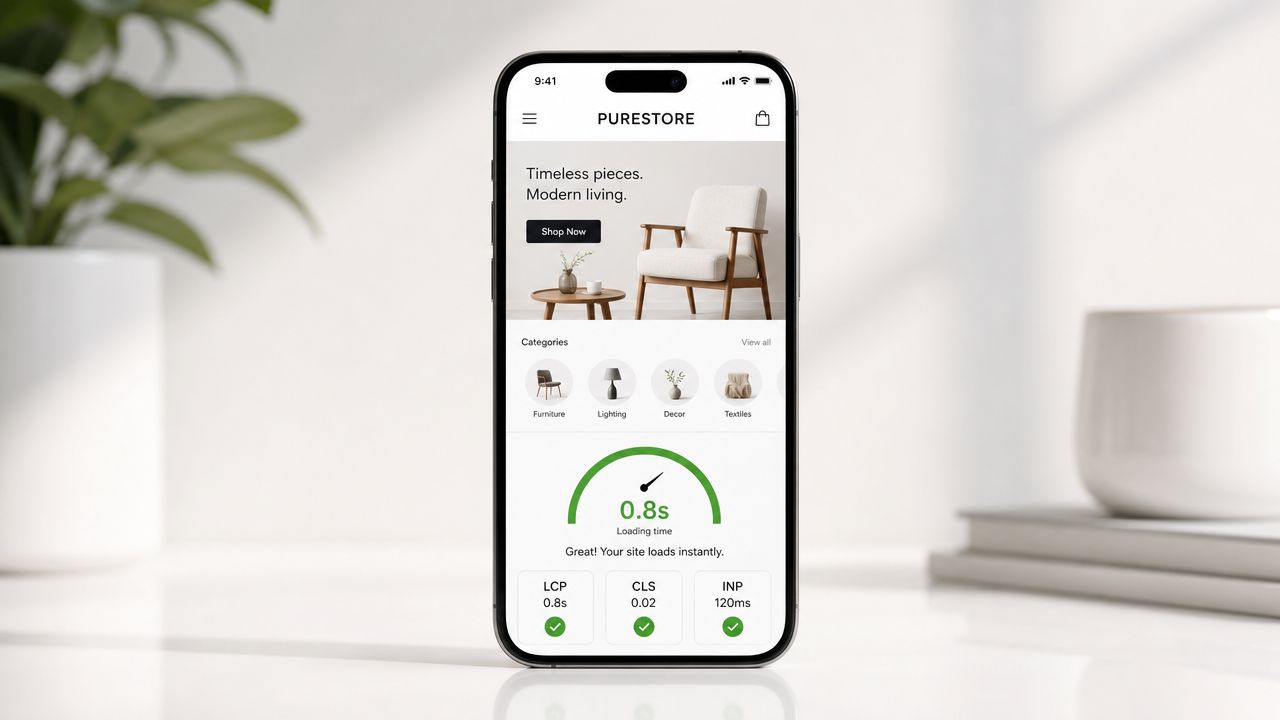
Shopify itself advises merchants to limit or block faceted URLs when filters generate too many low-value pages in its SEO checklist guidance. That matters most for large catalogs. Filter combinations can explode into thousands of thin URLs that nobody needs indexed.
Third-party guidance lands in the same place. Barn2 emphasizes redirects, robots.txt control, sitemap validation in Search Console, and ongoing analytics tracking as part of a strong Shopify foundation, referenced in the industry summary above from Kinex Media's checklist. The broad lesson is that duplicate-control work is no longer optional.
A fashion store with “black dresses,” “party dresses,” “mini dresses,” and every sort/filter combination exposed can quickly create multiple weak versions of the same search target. Google then has to guess which one matters.
Variant and faceted page mistakes
The trap isn't just duplicate content. It's sequencing. Many teams polish copy on collection pages while crawl and indexing problems still exist underneath. Google's general guidance, reflected in the underserved angle highlighted by Shero Commerce's ecommerce SEO checklist analysis, is to fix technical blockers first. That means crawl and indexing issues, broken pages, and slow or mobile-unfriendly pages before polishing money pages.
A practical triage framework works better than a giant to-do list:
Fix indexing blockers first: broken pages, crawl waste, accidental noindex issues, and malformed canonicals.
Then reduce duplication: sort URLs, filtered states, near-duplicate collections, and weak internal category variants.
Then improve commercial pages: collection copy, product depth, FAQs, comparison content, and stronger links.
Stores with large catalogs don't need more SEO tasks. They need a system for deciding which pages deserve indexation and which ones should stay out of the way.
Apps That Actually Help vs Ones That Just Claim To
SEO measurement separates operators from checklist collectors. If you only watch rankings, you will miss the failures that cost revenue: the wrong pages getting impressions, key collections dropping out of the index, or a new app release dragging down product-page performance.
The right dashboard is small and unforgiving. Track the metrics that tie search visibility to commercial pages and store changes. Ignore vanity reporting.
The operator dashboard
Start with Google Search Console and GA4. That is enough for a working SEO system if you review the data with merchandising context and release history in mind.
Focus on five signals:
Indexed money pages: core collections, top products, and high-intent content should stay indexed and stable.
Query-to-page alignment: the right collection or product page should rank for the right commercial terms.
Click quality: organic landing pages should lead to real shopping behavior, not empty sessions.
Technical health after changes: coverage issues, schema loss, and page slowdowns usually show up after theme edits or app installs.
Branded vs non-branded trendlines: branded growth can hide weakness in category and product discovery.
Traffic alone is a weak metric. A store can grow organic sessions while losing visibility on pages that sell. Pair SEO review with conversion review. If organic traffic rises but revenue per landing page falls, the problem is page quality, intent mismatch, or merchandising friction. Use your ecommerce conversion rate benchmarks to judge whether search traffic is landing on pages built to convert.
What to check after every release
Every release gets an SEO check. No exceptions.
Use a short release review:
Coverage and indexation: confirm priority pages still index cleanly.
Rendered schema: verify product, collection, and breadcrumb markup still appears.
Page performance on money templates: test collection and product pages after theme or app changes.
Internal links: confirm nav, related products, and collection links still point to priority pages.
Metadata integrity: check that titles, canonicals, and noindex directives did not change by accident.
The tiered checklist matters. Tier 1 work should dominate your review cadence because it protects discoverability and revenue. Tier 2 and Tier 3 tasks matter, but they should not get the same attention as indexation, page targeting, and store performance.
Measure app impact, not just SEO output
App decisions belong inside SEO reporting. That is the part many teams miss.
If a schema app breaks rendered markup, an image app slows product templates, or a filter app creates junk URLs, the fix is not another SEO task. The fix is choosing better software and pushing the vendor to improve the product. That is why serious operators validate app choices before install and keep notes on which vendors respond fast, expose real controls, and clean up after uninstall.
Good operators do not treat apps as static purchases. They treat them as dependencies that shape crawlability, rendering, speed, and conversion. That is also why AppStoreResearch's model matters. Research is not just about picking an app once. It is about feeding real merchant pain back into product roadmaps so the tools improve instead of piling more cleanup work onto the store.
The simplest rule is the right one. Measure pages, releases, and apps together. That is how you catch what changed, why it changed, and whether it helped the business.
Measuring What Matters
An operator-grade Shopify SEO checklist ends with measurement, not with rank screenshots. Raw traffic isn't enough. The point is qualified search demand reaching the right collection and product pages without technical friction.
The operator dashboard
Shopify recommends setting up Google Analytics and Search Console as part of its core SEO process in the official checklist. Those two tools are enough to build a useful operating dashboard when paired with basic merchandising awareness.
The best review cadence is simple. Watch indexed commercial pages, query-to-page alignment, crawl errors, rich result eligibility, branded versus non-branded search trends, and landing-page quality on top collections and products. Then compare those patterns against launches, app installs, and collection changes.
Operators often get distracted by rank trackers. Rankings matter, but they're downstream. If a key collection starts losing clicks because metadata changed, filters created URL clutter, or the page slowed down after a theme release, a rank report won't diagnose the cause.
What to review after every release
Every release should trigger a quick SEO review. Not a giant audit. A release check.
That check should include:
Search Console coverage: confirm important pages still index cleanly.
Template rendering: verify product and collection schema still appears correctly.
Performance review: test loading behavior after theme edits and app changes.
Internal links: confirm navigation, breadcrumbs, and related links still point where they should.
Commercial alignment: make sure high-value pages still match the intended query and shopper journey.
Teams that care about revenue also need to connect search traffic to on-site behavior. That's where broader store metrics become useful, especially when paired with practical references on ecommerce conversion rate benchmarks.
Shopify SEO: 7-Point Comparison
Item | Implementation Complexity | Resource Requirements | Expected Outcomes | Ideal Use Cases | Key Advantages |
|---|---|---|---|---|---|
What Shopify Handles for You (And What It Doesn't) | Low, built-in basics with limited customization | Minimal dev time, awareness of platform limits | Solid technical baseline, but some SEO gaps remain | New stores or quick launches needing out-of-the-box setup | Auto sitemap, SSL, canonical tags, CDN |
Tier 1: The High-Impact Levers for Shopify SEO | Medium, technical and content work required | SEO expertise, developer time, PageSpeed and schema tools | Significant ranking and conversion improvements | Limited-time SEO focus, stores needing immediate impact | Better crawlability, rich snippets, faster pages |
Tier 2: Building Authority with Content and Links | Medium–High, ongoing strategy and outreach | Content team, link outreach, time investment | Sustained organic growth and stronger domain authority | Growth-stage brands aiming to dominate niche | Long-term traffic, improved conversions, internal linking |
Tier 3: The Technical Fixes Most Stores Ignore | High, advanced technical implementation | Senior developers/SEO experts, log analysis tools, Shopify Plus often | Marginal but meaningful gains, improved indexation and international targeting | Large catalogs, multilingual/international stores, competitive markets | Optimized crawl budget, correct hreflang, fewer indexing issues |
Common Shopify SEO Traps and How to Sidestep Them | Medium, targeted fixes and monitoring | Audit time, dev fixes (noindex/canonical), GSC checks | Reduced duplicate content and wasted crawl budget | Stores with many tags, filters, variants or complex collections | Cleaner site architecture, improved indexing efficiency |
Vetting SEO Apps: What Helps vs. What Just Claims To | Low–Medium, research and testing required | Time to vet, test environment, conversations with developers | Leaner tech stack, avoid performance degradation | Stores evaluating SEO apps or with app-heavy stacks | Avoids bloat, targeted solutions, clearer ROI |
Measuring What Matters: SEO Metrics for Operators | Low–Medium, analytics setup and regular review | Google Search Console, Analytics, reporting time | Actionable insights tied to conversions and revenue | Any store focused on ROI and conversion optimization | Focus on high-intent keywords, landing page CRO, measurable impact |
From Checklist to Influence
A Shopify SEO checklist is useful because it creates order. It helps teams stop reacting to noise and start fixing the things that control visibility. But checklists only get a store so far.
The bigger advantage comes from understanding the stack behind the results. App decisions affect page speed. Theme decisions affect crawlability. Review systems affect structured data. Search and filter tools affect URL sprawl. When operators can influence those products directly, they stop being passive users of the ecosystem and start shaping it around the store's actual needs.
That matters more now because the Shopify app market is crowded. Operators get pitched constantly. New tools appear fast, and most stores don't have time to test everything. Direct conversations with app founders and product teams offer advantages that app listing pages can't. Those conversations can surface upcoming features, better-fit workflows, implementation tradeoffs, and in some cases stronger vendor relationships that reduce wasted spend and prevent another bloated install.
That's also where product research becomes commercially useful. Not research for its own sake. Research that gives merchants direct access to the people building the tools they rely on every day. The value is influence over roadmaps, early visibility into what's being built, and better decisions before another app ends up in the stack.
App Store Research fits naturally into that workflow. It's a platform that connects Shopify merchants with paid product research interviews with app developers and UX teams. For operators who care about stack quality, that creates a rare kind of access. They can share what breaks, what slows stores down, what features are missing, and what would make a tool worth using long term.
If that kind of access matters, operators can apply to participate.
Operators who want more influence over the Shopify tools they use can join app store research. It's the network where Shopify operators get paid to talk directly with the app founders and teams building their stack. Its value is access, roadmap influence, and early visibility into emerging tools. The incentive is an element of the conversation.

Reviewed by
Filip Djokic
Product Designer at appstoreresearch.com
Filip is a Product and UI/UX Designer with over 10 years of experience in digital product design. With a strong background in the Shopify ecosystem, he focuses on improving user experiences and turning merchant insights into better product decisions at appstoreresearch..


