
Author
Jonathan Kennedy
Founder at appstoreresearch
Jonathan Kennedy is the founder of app store research and shopexperts, platforms that connect operators, founders, and experts across the Shopify ecosystem to drive better decisions, product development, and growth.
A lot of brands ask when to upgrade to shopify plus as if there's a clean milestone. There usually isn't.
The true signal is simpler. Shopify Advanced still works, but the workarounds are starting to cost more than the upgrade. Fees keep stacking up. Manual operations stay manual. The app stack gets touchy. Teams start making decisions around platform limits instead of customer experience.
That's usually the moment the question changes from should i upgrade to shopify plus to “what is staying put costing now?”
The strongest operators don't treat Plus like a status upgrade. They treat it like infrastructure. Within the conversations around scaling Shopify Plus readiness, this tends to happen right around the point where growth turns into operational constraint. In app store research's network, 30% of operators are on Plus, and 240+ brands are already above $500K per month, which is exactly where this decision gets serious.
Table of Contents
The Tipping Point From Growth to Constraint
When Plus Actually Pays Back (The Math)
The benchmark that matters
A cleaner way to run the decision
Features That Matter at $500K–$1M MRR
Checkout control
Team and admin bottlenecks
Automation and integration headroom
Features That Don't (Despite the Marketing)
Nice to have isn't enough
What usually gets overvalued
The Real Implementation Cost
The fee is only the first line item
Where operators usually get surprised
App Stack Changes Plus Enables (And Forces)
What Plus unlocks
What Plus forces you to clean up
Common Migration Mistakes
The avoidable errors
What a controlled migration looks like
Get Influence Over the Tools You Use
The Tipping Point From Growth to Constraint
At lower volume, the standard Shopify plans are forgiving. A brand can patch together apps, keep a few manual reviews in the process, and live with platform limits that aren't yet expensive.
That changes fast once order volume, staffing, and campaign intensity rise together. The store isn't just selling more. It's coordinating more systems, more people, more exceptions, and more downside if checkout or ops break during a peak period.
Most Plus decisions aren't driven by ambition. They're driven by friction that started small and turned into recurring cost.
That's why the shopify plus vs shopify debate is often framed the wrong way. It's not really about whether Plus has more features. It does. The useful question is whether those features solve a current bottleneck that standard Shopify can't handle cleanly anymore.
For brands sitting in the $500K to $1M MRR range, that bottleneck usually shows up in one of three places: fee pressure, team/admin limits, or technical constraints around checkout and integrations. If none of those are active, staying on Advanced can still be the right call. If all three are active, waiting usually gets expensive.
When Plus Actually Pays Back (The Math)
The first pass should be financial, not emotional. Plus has to earn its way in.
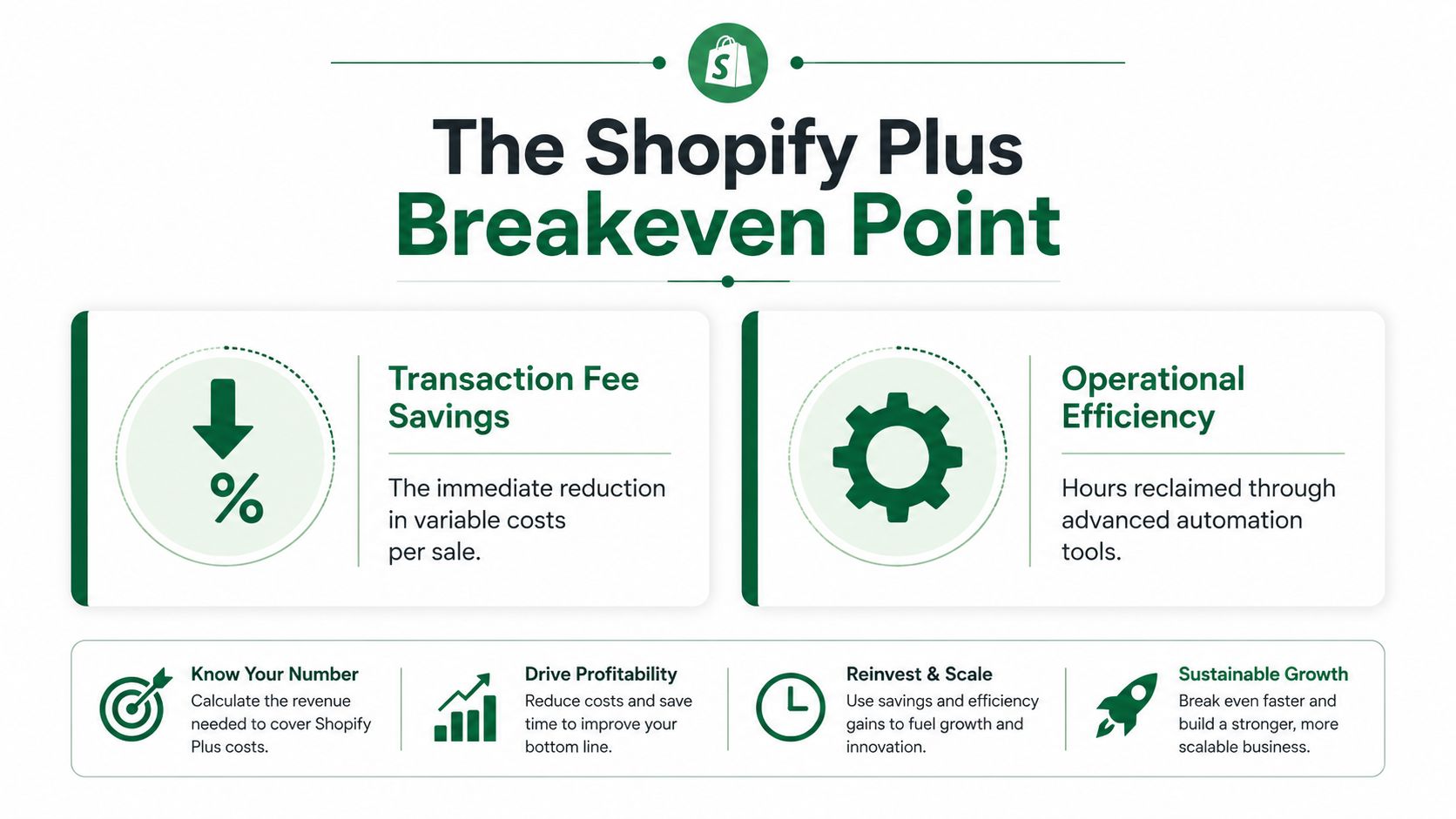
The most widely cited benchmark is $1 million in annual revenue, where the higher Plus subscription fee of $2,300 per month on a 3-year term starts to be offset by lower transaction fees and added operational efficiency, according to eDesk's Shopify Plus upgrade guide. That same source notes breakeven often shows up between $500,000 and $800,000 in monthly sales.
The benchmark that matters
A lot of operators get distracted by feature lists before doing the simple comparison.
Plan | Base subscription |
|---|---|
Advanced Shopify | $399 per month |
Shopify Plus | $2,300 per month on a 3-year term |
That difference is the hurdle. Plus needs to pay back the gap through some combination of:
Lower transaction costs that improve as volume rises
Operational savings from fewer manual processes
Revenue protection during high traffic periods
Better conversion control if checkout customization matters
At this stage, the cleanest framing isn't “will Plus save money on paper?” It's “does the store already generate enough volume and complexity that the extra fee is being absorbed elsewhere, less efficiently?”
A cleaner way to run the decision
Operators evaluating when to upgrade to shopify plus usually get better answers by using a short internal model:
Start with the subscription delta
Compare the current plan fee to the Plus fee.Estimate fee savings
If payment mix and order volume make Plus materially cheaper on transaction economics, that's the first lever.Add operating drag
Count the processes that exist only because the current plan can't support the cleaner version.Stress test peak periods
If seasonal spikes create risk, that risk belongs in the model too.
Practical rule: If the finance case is close, the operational case decides it.
For brands in the messy middle, this is also the right moment to audit app spend and overlap. A lot of stores think they need Plus, but really need fewer duplicate tools and better vendor negotiation power first. That's where work like reducing Shopify app costs often sharpens the decision.
Features That Matter at $500K–$1M MRR
At this stage, most Plus features don't matter equally. A few do a lot of work. The rest are brochure filler.
Shopify often recommends the upgrade when monthly sales approach $800,000, where lower transaction fees, unlimited staff accounts, and scalability begin to outweigh the base fee, according to Aeolidia's analysis of when brands need Shopify Plus.
Checkout control
This is one of the few features that can justify the move on its own.
If a brand has a real checkout roadmap, not vague hopes but actual planned tests, custom logic, or segmented buying experiences, Plus becomes more defensible. That's especially true when the current checkout setup forces awkward workarounds through theme hacks or app layers.
Checkout flexibility matters more when margins are tight and paid acquisition is expensive. In that context, even modest checkout improvements can matter more than another storefront feature no one uses.
Team and admin bottlenecks
Advanced caps staff accounts at 15, while Plus offers unlimited staff accounts, as noted in the linked Aeolidia reference above. That sounds minor until it isn't.
A growing brand often has ecommerce, CX, retention, operations, merchandising, agencies, freelancers, and regional contributors all touching the stack. Once access becomes a bottleneck, teams start sharing logins, delaying work, or narrowing permissions too aggressively.
That isn't a scaling strategy. It's admin debt.
Automation and integration headroom
The biggest operational shift often comes from what the brand can finally automate without fighting the platform.
At this revenue band, app stacks get more demanding. Data has to move between fulfillment, inventory, analytics, subscriptions, loyalty, search, merchandising, and post-purchase tools without constant intervention.
Constraint on standard plans | Why it matters at scale |
|---|---|
Staff limits | Slows team access and agency workflows |
Checkout restrictions | Blocks higher-value experiments |
Lower app and automation headroom | Makes integrations more fragile |
A serious operator doesn't need more features. A serious operator needs fewer bottlenecks.
Features That Don't (Despite the Marketing)
Plus marketing tends to flatten everything into a benefit. In practice, some features are useful only after the core economics already make sense.
Nice to have isn't enough
A brand shouldn't upgrade because Flow sounds cleaner than a third-party automation tool. It might be cleaner. That still doesn't make it the reason.
The same goes for Launchpad. For some stores, especially those running coordinated drops or tightly controlled promo events, it's helpful. For many others, a disciplined ops team and a well-run marketing calendar cover most of the need.
If the feature doesn't remove a current bottleneck, it belongs in the “later” pile.
What usually gets overvalued
A few things often get too much weight in the should i upgrade to shopify plus conversation:
Feature prestige
Some teams like the idea of being on Plus more than they need the platform itself.Native over practical
Native tools are attractive, but an app that already works well may still be the better answer for now.Future complexity Buying ahead of actual operational need usually creates dead cost, not an advantage.
Migration symbolism
Plus can feel like a signal that the brand has arrived. That's not a business case.
Operators need discipline here. If checkout, staff access, B2B structure, or infrastructure constraints aren't active problems yet, Plus may still be early.
The Real Implementation Cost
The headline fee is visible. The implementation cost usually isn't.

The fee is only the first line item
A shopify plus migration can be simple if the store is already clean, the theme is stable, and the app stack is disciplined. Many aren't.
Real cost usually sits in project work:
Theme and checkout work that was deferred on Advanced
App reconfiguration because current tools were set up around old constraints
Testing time across payments, shipping logic, subscriptions, bundles, and post-purchase flows
Agency or developer involvement to make Plus features usable instead of merely available
The platform doesn't become expensive because of the invoice alone. It becomes expensive when a brand upgrades without budget for the work needed to use it properly.
Where operators usually get surprised
The biggest surprise is app pricing. A lot of vendors have separate Plus tiers, enterprise packages, or usage models that rise as complexity rises. The second surprise is internal workload. Someone still has to own the roadmap, specs, QA, and vendor coordination.
The expensive mistake isn't paying for Plus. It's paying for Plus and still operating like the old stack.
This is why many underwhelming upgrades aren't really platform failures. They're implementation failures. The store paid for headroom but didn't change the operating model enough to use it.
App Stack Changes Plus Enables (And Forces)
The biggest operational change after Plus often isn't in Shopify itself. It's in the surrounding stack.
Standard Shopify plans impose strict API rate limits, and brands hitting throttling, failed bulk operations, or app constraints have crossed a technical threshold where Plus becomes necessary, according to Net Solutions' breakdown of Shopify Plus upgrade signals.

What Plus unlocks
Once those constraints are removed, better tools become realistic.
That matters for retention, analytics, customer data, and omnichannel work. Teams using platforms like Tresl or mobile commerce layers like Mobiloud tend to feel the difference quickly when the underlying store can support more powerful workflows cleanly.
A few patterns show up often:
ERP and inventory syncs become more reliable
Bulk operations stop failing under normal scale
Cross-tool automations stop breaking because one system can't keep up
More demanding apps become viable without constant workaround logic
What Plus forces you to clean up
Plus also exposes weak architecture.
A messy stack doesn't become better because the store upgraded. It often becomes more obviously messy. Duplicate functions, conflicting scripts, unclear ownership, and overlapping data flows become harder to ignore.
That's why a pre-upgrade review matters. The right question isn't just which apps can do more on Plus. It's which apps should still exist at all.
App stack question | Why it matters before Plus |
|---|---|
Which apps are mission critical | They need migration testing first |
Which tools overlap | Consolidation reduces cost and failure points |
Which vendors charge more on Plus | Budget changes need approval early |
Which workflows are still manual | Plus should remove them, not preserve them |
For many brands, the smartest prep work is Shopify stack consolidation before the contract is signed, not after.
Common Migration Mistakes
The best migration is boring. Most problems come from avoidable haste.
A critical mistake is ignoring transaction velocity. When a store consistently exceeds 100 customer visits and transactions per minute, shared infrastructure on standard Shopify plans can degrade performance, and Plus becomes operationally necessary for high-volume stores, according to DataFeedWatch's guidance on upgrading to Shopify Plus.
The avoidable errors
A few mistakes show up repeatedly:
Moving on platform logic alone
The store upgrades because leadership wants Plus, but no one defines the use case.Skipping a full app dependency map
Hidden checkout, shipping, and subscription dependencies surface too late.Treating traffic like a side note
Migration planning that ignores transaction velocity misses one of the main reasons to move.Under-testing redirects and analytics The site may launch, but attribution or SEO can break.
Migration risk usually sits in the edge cases. Discounts, bundles, subscriptions, payment methods, and scripts are where launches get messy.
What a controlled migration looks like
A disciplined rollout usually includes a code freeze, full regression testing, and clear ownership across product, ecommerce, engineering, and agency partners. It also means testing the ugly scenarios, not just the happy path.
That includes:
Peak traffic behavior
Order routing and fulfillment exceptions
Checkout edge cases
Tracking and reporting continuity
Vendor-by-vendor signoff on critical integrations
If Plus is meant to reduce risk, the migration process has to reflect that.
Get Influence Over the Tools You Use
The operators making these decisions sit on information that app founders and product teams need. They know where app costs stack up, where integrations fail, and where Plus readiness is real versus overhyped.
That's why the most useful merchant feedback isn't a survey response. It's a direct conversation with the people building the tools in the stack.
App store research is built for that. It connects Shopify merchants with paid product research interviews with app developers and UX teams. The value isn't just compensation. It's access to founders, visibility into what vendors are building next, and influence in conversations that usually happen behind closed doors.
For serious operators, that matters. It's a cleaner way to influence roadmaps, pressure-test new tools before the wider market sees them, and build direct relationships with vendors instead of sorting through another crowded app marketplace.
For operators who want more influence over the products they use every day, app store research offers a direct path into paid conversations with Shopify app founders, product teams, and UX leads. This access provides the core value. Early visibility into upcoming tools, direct input on feature requests, and better bargaining power with vendors are what make the network useful. The incentive is just part of the exchange. If that fits how your team operates, join the network.

Reviewed by
Filip Djokic
Product Designer at appstoreresearch.com
Filip is a Product and UI/UX Designer with over 10 years of experience in digital product design. With a strong background in the Shopify ecosystem, he focuses on improving user experiences and turning merchant insights into better product decisions at appstoreresearch..