

Author
Jonathan Kennedy
Founder at appstoreresearch
Jonathan Kennedy is the founder of app store research and shopexperts, platforms that connect operators, founders, and experts across the Shopify ecosystem to drive better decisions, product development, and growth.
Most Shopify app mistakes start the same way. A team has a real problem, opens the App Store, reads a few reviews, installs something fast, and hopes the new tool will fix the bottleneck by the end of the week.
That usually works for about a day.
Then the app adds scripts that slow the storefront, the settings don’t match the team’s workflow, support goes quiet when the edge cases show up, and uninstalling it becomes another project. The monthly fee was never the actual risk. The actual risk was letting a weak app sit inside checkout flows, customer data, merchandising logic, or post-purchase operations.
That’s why how to evaluate shopify apps should be treated as risk management, not shopping. The best operators don’t look for the most exciting demo. They look for the app that solves a defined problem, fits the store’s stack, and won’t become expensive technical debt six months later.
Table of Contents
The Hidden Costs of Choosing the Wrong Shopify App
Where weak apps do damage
What experienced teams do differently
Define Your Success Metrics Before You Search
Start with the business problem
Turn the problem into a decision filter
Keep the success test narrow
The Vetting Framework A Practical Scoring Rubric
The five lenses
How to score without kidding yourself
Calculate the True Cost Beyond the Subscription Fee
What total cost actually includes
A simple TCO table to use before approval
What a disciplined financial review sounds like
Run a Real-World Trial The Only Test That Matters
What to test during the trial
The red flags worth catching early
The Final Check Get Paid to Validate with App Founders
Why direct conversations change the decision
What to ask before signing off
The Hidden Costs of Choosing the Wrong Shopify App
A bad app rarely fails in an obvious way. It usually fails by adding friction in places that already matter. Merchandising gets harder. Support gets slower. Reporting gets messier. The storefront feels slightly heavier, and nobody notices until conversion starts slipping.
The scale of the problem is easy to underestimate. The Shopify App Store has grown to over 11,905 apps as of 2026, after a 50.48% surge in 2023, and 87% of Shopify stores rely on apps, using an average of 6 apps per merchant according to Shopify App Store growth data from Uptek. That means most merchants aren’t choosing one tool. They’re building a stack inside a crowded market.
Where weak apps do damage
A discount app can collide with an existing bundling app. A returns app can create more manual support work if the policy logic doesn’t fit the actual operation. A reviews app can look polished in the listing and still leave code behind after removal.
That’s why app evaluation can’t stop at features.
Revenue risk: If an app touches PDPs, cart, checkout-adjacent flows, upsells, search, or subscriptions, it can affect sales directly.
Operations risk: If staff has to build workarounds in Gmail, Slack, Notion, or spreadsheets, the app isn’t saving time. It’s moving work around.
Technical risk: Theme conflicts, script bloat, and broken integrations usually don’t show up in the marketing copy.
Trust risk: Customers don’t care which app caused the issue. They only see a buggy storefront or a broken post-purchase experience.
Practical rule: If uninstalling an app would feel stressful before it’s even installed, the team should slow down and vet it harder.
Cheap apps often become expensive because they create invisible follow-up work. The store pays in troubleshooting time, developer cleanup, delayed launches, and customer frustration. Merchants who treat apps like infrastructure usually make better decisions than merchants who treat them like quick fixes.
What experienced teams do differently
Stronger operators assume every install has a cost, even before the first invoice lands. They ask what happens if the app underperforms, what systems it touches, and how hard it will be to replace.
That mindset changes the buying process. Instead of asking, “Does this app have the feature?” they ask, “What business risk does this app remove, and what new risk does it introduce?”
That’s the right starting point.
Define Your Success Metrics Before You Search
Most bad installs happen before a merchant reads a single app review. The mistake is starting with the marketplace instead of the business problem.
Searching first creates noise. Every app looks useful when the requirement is vague. A flashy dashboard, a polished onboarding flow, or a long feature list can pull a team into the wrong category entirely.
Start with the business problem
A useful app should solve one specific job. Not “improve retention.” Not “help with upsells.” The job needs to be operationally clear.
Examples of strong starting points:
Reduce WISMO tickets: The team needs better order tracking visibility and fewer repetitive support requests.
Lift AOV on mobile PDPs: The store needs cleaner bundling or cross-sell placement without hurting the page experience.
Speed up returns handling: Operations needs fewer manual touches and clearer customer self-service.
Improve merchandising control: The team needs better collection logic, filtering, or product discovery.
Weak app evaluations usually begin with category shopping. Strong evaluations begin with a bottleneck the business can already describe in plain English.
A merchant that can’t describe the problem clearly usually can’t judge whether the app solved it.
Turn the problem into a decision filter
Before anyone opens the App Store, write down four things.
Primary business outcome
Decide what should improve if the install works. That might be conversion rate, average order value, repeat purchase behavior, fewer support tickets, or less admin time.Operational constraint
Define what can’t get worse. Common examples are storefront speed, team workflow complexity, or reliance on developer help for basic tasks.Who owns the app internally
One person should be responsible for evaluation, rollout, and post-install review. Shared ownership often means no ownership.Decision deadline
Set a date for install, review, and keep-or-kill. Without one, weak apps linger because nobody wants to reopen the decision.
A simple internal worksheet can look like this:
Question | Example answer |
|---|---|
What problem needs solving? | Too many order-status tickets |
What metric should move? | Lower support volume tied to tracking questions |
What must not break? | Theme performance and branded post-purchase UX |
Who owns the decision? | CX lead with input from ecommerce manager |
When is review date? | End of trial period plus a short observation window |
This discipline matters because app listings are written to sell. Merchants need their own criteria before they meet the pitch.
Keep the success test narrow
One app should have one main win condition. If a team expects an app to improve conversion, reduce returns, increase retention, and save support time all at once, the review gets muddy fast.
Use a short approval test instead:
Must solve: the core job
Must fit: the current stack and workflow
Must justify: its total cost over time
Must be removable: without major cleanup pain
A clear scorecard beats enthusiasm every time. When a team defines success before search, most weak options disqualify themselves early.
The Vetting Framework A Practical Scoring Rubric
Good operators need a rubric because app decisions get emotional fast. Reviews look reassuring, demos feel polished, and urgent problems make average tools look better than they are.
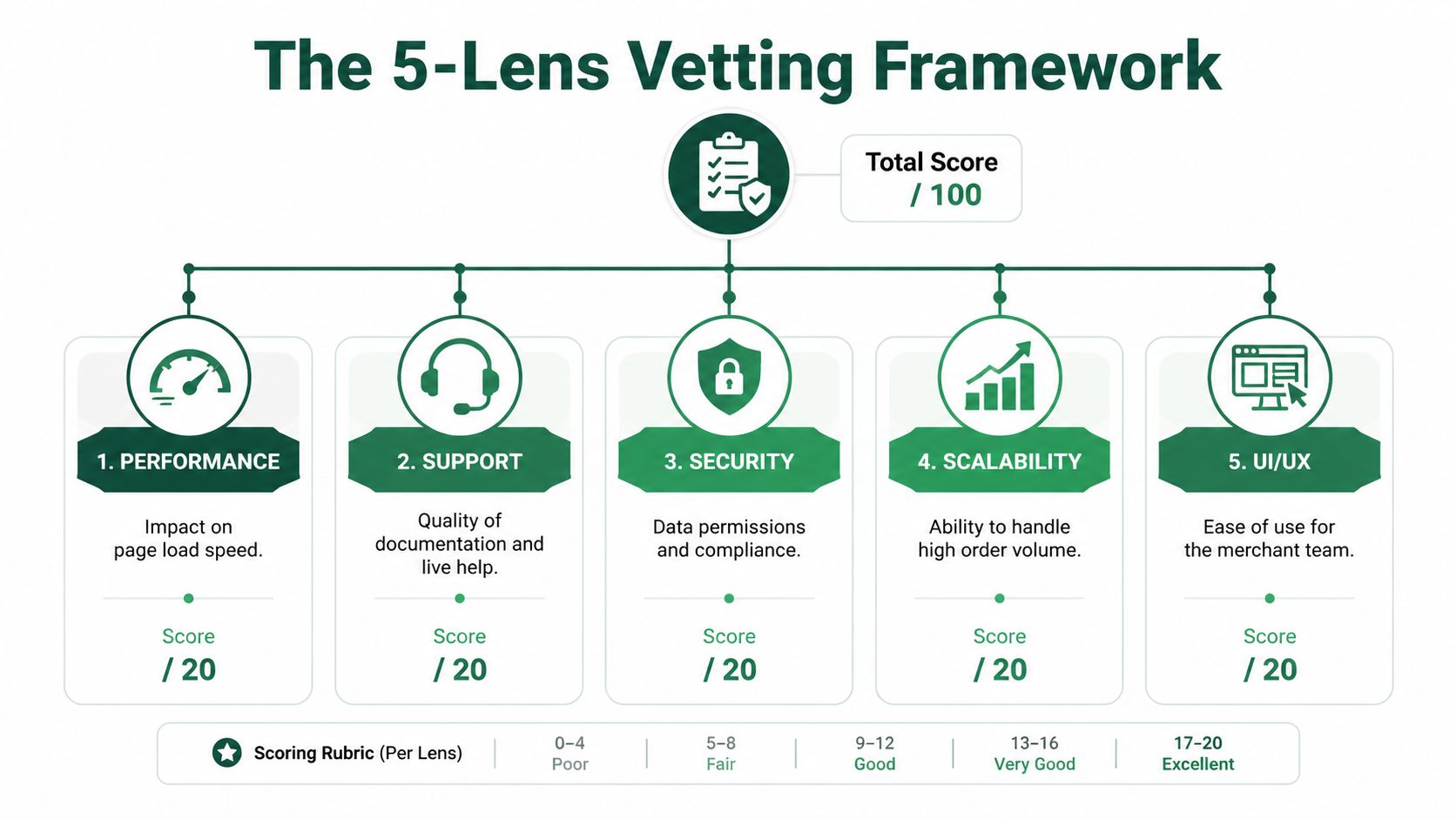
A structured method works better. According to Instasupport’s Shopify app evaluation framework, expert merchants use a five-lens scoring rubric built around merchant fit, operational fit, technical fit, cost, and exit risk. That approach can deliver up to 85% better app retention rates, and it helps avoid a common failure point where 62% of failed installs come from poor initial use-case match.
The five lenses
The cleanest way to evaluate Shopify apps is to score each lens from 1 to 5. A low score should force a real conversation, not get hand-waved away because the app “mostly works.”
Merchant fit comes first. If the app wasn’t built for the actual use case, the rest doesn’t matter. Read reviews for stores that look like the current business, not just reviews from every merchant type mixed together.
Operational fit asks whether the app reduces work or creates another dashboard the team has to babysit. A tool that adds clicks, handoffs, or training overhead is often a bad operational trade.
Technical fit covers theme compatibility, storefront performance, integration behavior, and admin usability. Apps that need custom cleanup, conflict with core workflows, or make the storefront heavier should score lower even if the feature set is strong.
Cost is broader than the listed plan. It includes scaling fees, support access, implementation time, and the internal overhead of keeping the app running properly.
Exit risk is the category often skipped. If the app gets removed, what happens to data, theme code, workflows, and customer-facing experiences?
How to score without kidding yourself
A simple table keeps the process honest:
Lens | What to check | Warning sign |
|---|---|---|
Merchant fit | Does it solve the exact job? | Broad feature list, weak use-case clarity |
Operational fit | Does it reduce manual work? | Team still needs workarounds |
Technical fit | Does it play well with the stack? | Theme issues, script weight, integration friction |
Cost | Does the value hold as the store grows? | Pricing climbs faster than impact |
Exit risk | Can it be removed cleanly? | Hard migration, unclear data handling |
Use the same scoring criteria for every shortlisted app. Don’t let one vendor get a softer review because the demo felt smoother.
Strong app selection is less about finding a winner and more about eliminating the wrong fits quickly.
A few practical habits improve the process:
Read reviews for patterns, not averages: Repeated complaints about onboarding, reliability, or support usually matter more than the star rating.
Check the stack, not just the app: The right app in isolation can still be the wrong app in a loaded stack.
Test the edge cases: Discount combinations, subscription products, multi-location inventory, B2B rules, custom themes, and translation layers expose weak fit fast.
Document the trade-offs: If the team accepts a weakness, write down why.
For teams already cleaning up a bloated stack, this kind of scoring pairs well with a broader Shopify app stack audit process. It forces the same discipline across the whole app portfolio instead of one install at a time.
Calculate the True Cost Beyond the Subscription Fee
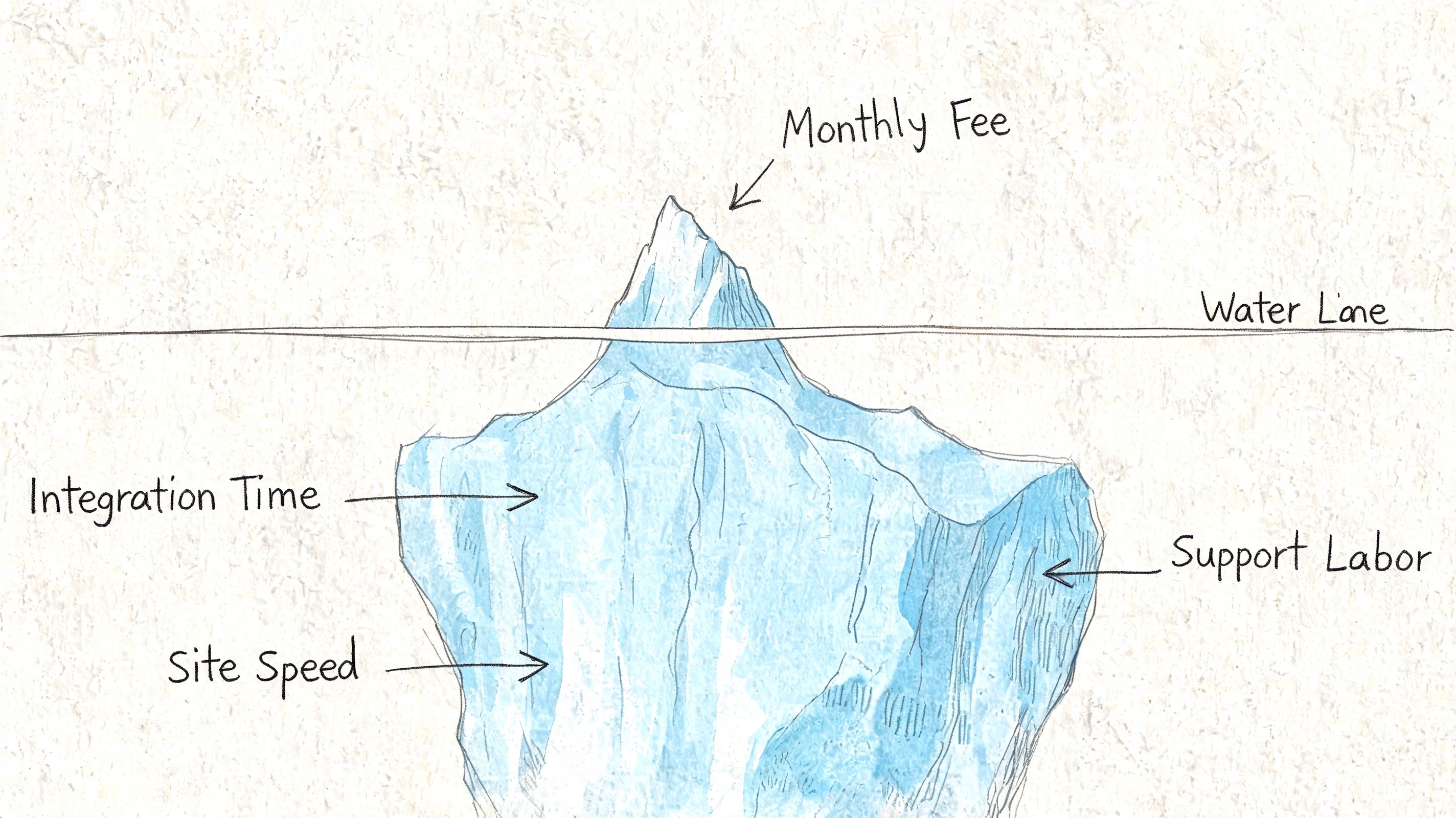
The listed monthly fee is usually the least important number in the decision. It feels concrete, so teams anchor on it. That’s how stores approve apps that look cheap and end up expensive.
The better question is total cost of ownership. For mid-sized stores, annual app spend can exceed $100K, 68% of merchants report app fatigue from unmanaged cost escalation, and app pricing has been rising at 15% YoY according to Privy’s discussion of app evaluation and cost discipline. That’s why TCO belongs in app approval, not in the cleanup phase after the stack gets messy.
What total cost actually includes
A tool with a modest base plan can still be a poor buy if pricing expands with order volume, feature access, or support dependency. Some apps are affordable only while the store is small or underusing them.
TCO usually includes more than merchants expect:
Subscription cost: The visible monthly or annual plan.
Scaling cost: Fees tied to orders, contacts, revenue, or usage thresholds.
Implementation cost: Time from the ecommerce manager, developer, CX lead, or agency partner.
Maintenance cost: Ongoing troubleshooting, training, monitoring, and workflow upkeep.
Switching cost: Data migration, theme cleanup, retraining, and reconfiguration if the app gets replaced.
A simple TCO table to use before approval
A lightweight model is enough. The team doesn’t need a finance deck. It needs a realistic estimate.
Cost category | What to estimate |
|---|---|
Base fee | Monthly or annual plan cost |
Usage expansion | What happens if order volume or contacts grow |
Setup labor | Internal or agency time needed to launch |
Ongoing admin | Weekly or monthly team time to manage it |
Replacement cost | What removal or migration would involve |
The same discipline should apply to evaluation questions during procurement. A practical list of evaluation question examples can help teams pressure-test support, implementation, security, pricing triggers, and migration assumptions before approval.
The app isn’t affordable if it only works financially while the business stays small.
This is also where many stores find duplicate spend. Two apps might each look inexpensive and still overlap enough to make the stack inefficient. Teams that review cost at the stack level, not just the single-app level, usually make cleaner decisions. A broader Shopify app stack optimization approach often uncovers tools that no longer earn their place.
What a disciplined financial review sounds like
Instead of asking, “Is this app worth the monthly fee?” ask questions like these:
If this app works, where should the gain show up?
If pricing rises with growth, does the margin still make sense?
Will the team need outside help to implement or maintain it?
If the store outgrows the app, how painful will the move be?
Is this replacing another tool or adding one more line item?
Teams that ask those questions early usually buy fewer apps. They also keep the apps they do buy for the right reasons.
Run a Real-World Trial The Only Test That Matters
A live trial is where strong app ideas either survive contact with the store or fall apart. Screenshots don’t reveal workflow friction. Sales demos don’t show stack conflicts. Reviews rarely explain what happens when a real catalog, real discount logic, and a custom theme are involved.
That’s why the trial should behave like a controlled stress test, not a casual browse through the settings.

During a trial, benchmark the app against the store’s performance budget and aim for less than a 5% degradation in page speed. That matters because 40% of apps cause significant speed drops, which can lead to a 25% increase in cart abandonment, as noted in the earlier evaluation framework source.
What to test during the trial
The best trials happen in a duplicate theme or controlled environment first. The team should test both customer-facing behavior and admin-side workflows.
Use a checklist that covers normal and annoying scenarios:
Front-end behavior: Product pages, cart interactions, mobile rendering, theme styling, and speed impact.
Merchant workflow: Setup friction, dashboard clarity, permission controls, and whether non-technical staff can operate it confidently.
Stack compatibility: Interactions with subscriptions, reviews, bundles, shipping tools, search, analytics, and localization apps.
Edge cases: Discount stacking, partial refunds, draft orders, bulk edits, low-stock products, and unusual cart combinations.
Teams that need a better way to structure trial scenarios can borrow from product QA discipline. This guide to writing effective test cases is useful because it turns vague checks into repeatable pass-fail tests.
The red flags worth catching early
The trial should answer more than “does it work?” It should answer “does it hold up under real use?”
A few red flags usually justify immediate concern:
Support answers the happy path only
The app needs custom intervention for basic setup
The feature works, but the workflow is clumsy
Analytics don’t make it easy to judge impact
Uninstall steps are vague or incomplete
If the app only looks good when tested gently, it probably won’t hold up once real customers touch it.
A real-world trial should also include a decision date. Keep, reject, or escalate. Stores get into trouble when “still testing” gradually becomes “accidentally permanent.”
The Final Check Get Paid to Validate with App Founders
Most merchants stop after the trial. That leaves one high-value step unused. Direct validation with the people building the app.
Passive evaluation has blind spots. Reviews tell the market’s story. They don’t tell the roadmap story. They also don’t reveal how a product team thinks about support, customization requests, migration pain, or where the app is headed next.
Why direct conversations change the decision
Direct merchant-developer interaction can uncover roadmap details and relationship advantages that listings and reviews can’t show. It also matters because 72% of merchants cite poor support or lack of customization as a top pain point, according to Joules Labs on Shopify app research and merchant feedback loops.
That makes founder or product conversations useful for more than due diligence. They help merchants assess whether the vendor is likely to be a strong long-term partner.
A short conversation can reveal things like:
whether a requested feature is already planned
how the team handles edge-case support
whether the app is moving upmarket or downmarket
how they think about migrations and onboarding
whether pricing flexibility or implementation help is possible
For operators who want a strategic view of why this matters, this piece on why 8-figure Shopify brands build direct relationships with app founders captures the advantage well.
What to ask before signing off
The strongest final-check questions aren’t technical trivia. They’re questions about fit, support, and future pain.
What kinds of stores fail with this app?
What setup mistakes create the most support tickets?
What’s on the near-term roadmap that affects this use case?
How should the team handle uninstall or migration if priorities change?
What level of support is realistic after launch?
The quality of the vendor relationship often matters as much as the quality of the feature.
This step also creates upside. Merchants sometimes get better implementation guidance, stronger support access, founder-level advice, or early visibility into new tools before the broader market catches on. In a crowded app ecosystem, direct conversations can be one of the few clean ways to separate polished marketing from serious product teams.
Shopify operators who want to share their experience and get paid for feedback can join app store research, a platform that connects Shopify merchants with paid product research interviews with app developers and UX teams. It’s a useful way to speak directly with app founders, discover emerging tools earlier, influence product decisions with real feature requests, and earn incentives in the process. The network includes 3,000 operators and has paid out $1M in incentives.

Reviewed by
Filip Djokic
Product Designer at appstoreresearch.com
Filip is a Product and UI/UX Designer with over 10 years of experience in digital product design. With a strong background in the Shopify ecosystem, he focuses on improving user experiences and turning merchant insights into better product decisions at appstoreresearch..